
BPExch Registration Process
Creating your account with us is straightforward and typically takes a few minutes. We’ve designed our bpexch registration process to be simple and secure, guiding you from initial sign-up to full account activation. Follow these steps to complete your bpexch registration online and start enjoying our platform.
Visit the Official Site and Open the Sign-Up Form
Navigate to bpexchs using your mobile browser or desktop. Once the homepage loads, locate the ‘Register’ button at the top right corner of the screen. Tap or click this button to open the registration form. The form is optimised for mobile devices, ensuring a smooth experience regardless of how you access our platform.
Enter Your Details and Set a Password
Complete the form by providing the following information to bpexch create account:
- Your mobile number (active Pakistani number required)
- A strong password (minimum 8 characters, combining letters and numbers)
- Referral code (optional, if you have one)
Choose a password that mixes uppercase letters, lowercase letters, and numbers. Avoid easily guessable combinations like birthdays or simple sequences.
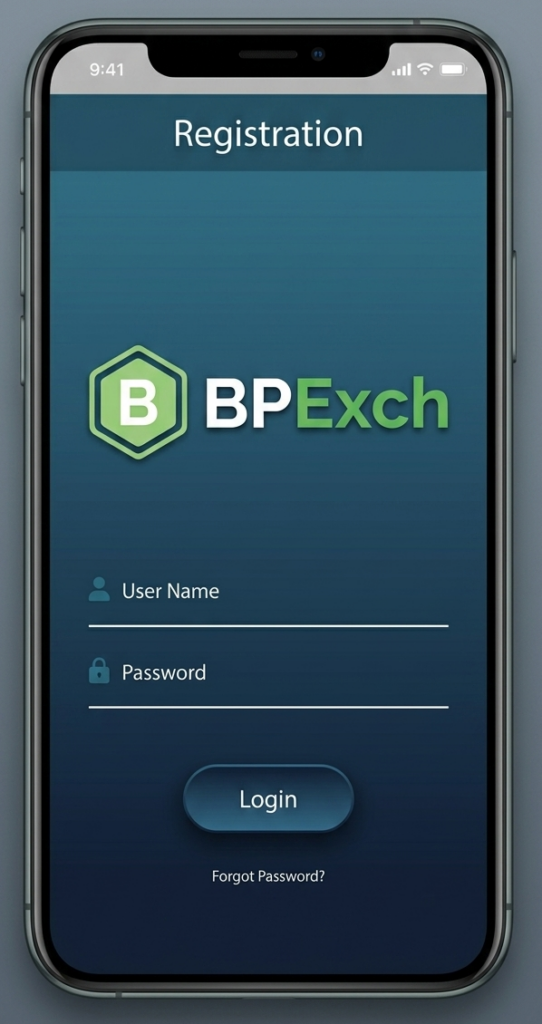
Verify via SMS OTP and Complete Your Profile
After submitting the form, we’ll send a verification code to your registered mobile number, typically within 30–60 seconds. Enter this OTP in the verification field to confirm your bpexch registration. Do not share your OTP with anyone.
If OTP does not arrive: Check your network connection or tap the ‘Resend’ button after 60 seconds.
Once verified, your account becomes active. You can now complete your profile, set up payment methods, and begin exploring our platform.
Popular Slot Games
Choose Play for real mode or Demo to try the slot.










BPExch Pro Sign Up vs Standard Account
When completing your bpexch registration, you'll start with a Standard account. Upgrading to Pro unlocks higher limits and full platform access after CNIC verification. Choose the tier that matches your gaming style.
Quick Comparison
Here's how Standard and Pro accounts compare:
Feature | Standard Account | Pro Account |
|---|---|---|
Verification Required | Mobile/OTP only | Full CNIC/KYC verification |
Min Deposit | PKR 500 | PKR 500 |
Daily Withdrawal Limit | PKR 50,000 | PKR 500,000 |
Features | Basic betting | Full access + priority support |
Limits may change—check our Cashier page for current figures.
How to Upgrade to Pro
Complete your bpexch pro sign up in Pakistan with these steps:
- Log in to your BPExch ID and navigate to Account Settings
- Upload clear photos of your CNIC front and back
- Wait for verification (typically within 24 hours)
Once approved, your limits update automatically. Visit the Cashier page to confirm your new Pro account status.
Documents and Requirements for BPExch Registration in Pakistan
Before you begin your bpexch registration, gather these essential items to ensure a smooth account creation process. Having everything ready beforehand helps you complete sign-up in minutes without interruptions or delays.
What You Need Before Signing Up
Prepare the following for bpexch registration pakistan:
- Valid CNIC – original, not expired
- Active Pakistani mobile number – Jazz, Telenor, Zong, or Ufone
- Working email address for account verification
- Stable internet connection – Wi-Fi or mobile data
- Payment method details – JazzCash, Easypaisa, or crypto bpexch wallet
Your CNIC and mobile number must match for successful verification. We use these details to protect your account and comply with local regulations.
Age and Eligibility
You must be 18 years or older to complete bpexch registration online pakistan. We verify your age automatically using the date of birth on your CNIC during account activation.

CNIC Verification and Account Activation
After completing bpexch registration, you must verify your Computerised National Identity Card (CNIC) to unlock full account features. This one-time security step protects your account and ensures compliance with local regulations in Pakistan.
Documents You Need to Upload
Navigate to Account > Verification in your dashboard and upload:
- CNIC front side – Clear photo showing all details
- CNIC back side – Ensure text is readable
- Live selfie – Hold your CNIC next to your face
All images must be in JPG or PNG format with visible text.
Processing Time and Withdrawal Access
We review submissions usually within 24 hours. Please note that withdrawals remain locked until your CNIC verification is approved. You can deposit and place bets immediately after sign up, but cannot cash out until verified. If your status stays pending beyond 24 hours, contact our support team via WhatsApp for assistance.
First Deposit After Registration — JazzCash, Easypaisa, and Crypto
Once you complete your BPExch registration, funding your account is straightforward. We support multiple payment methods tailored for Pakistani players, including mobile wallets, cryptocurrency, and bank transfers, ensuring you can start playing within minutes.
Supported Deposit Methods and Minimum Amounts
After BPExch registration, choose from these deposit options:
Payment Method | Min Deposit (PKR) | Typical Processing Time |
|---|---|---|
JazzCash | Rs 500 | Under 5 minutes |
Easypaisa | Rs 500 | Under 5 minutes |
USDT (Crypto) | Rs 500 | 10–15 minutes |
Bank Transfer (IBFT) | Rs 500 | Up to 30 minutes |
Processing times may vary based on network conditions.
Before Your First Withdrawal
CNIC verification is typically required before processing your first withdrawal. This ensures account security and compliance. For the latest deposit and withdrawal limits, check the Cashier page after logging in.

Registration Troubleshooting — Common Issues and Fixes
If you encounter problems during bpexch registration, most issues can be resolved quickly. Below are the most common errors our Pakistani users face and how to fix them immediately.
OTP Not Arriving
- Wait 60 seconds — network delays are common during peak hours.
- Verify your number starts with +92 and includes no extra spaces.
- Contact our WhatsApp support if OTP still doesn't arrive after 2 minutes.
CNIC Mismatch or Duplicate Account Error
- Double-check that your CNIC name and number match exactly as printed on your card — even one wrong digit will trigger an error.
- If you see "Account already exists," contact our support team via WhatsApp — do not attempt to create a second account as this violates our terms.
Browser or Loading Issues
- Clear your browser cache and cookies, then refresh the page.
- Switch to Chrome or Safari if the form won't load.
- Try using mobile data instead of Wi-Fi, and disable any active VPN connections.
Account Safety and Responsible Gaming Settings
After completing your BPExch registration, secure your account and activate responsible gaming tools from your dashboard. We provide two-factor authentication, deposit controls, and self-exclusion options to help you manage your gaming experience safely and responsibly.
Enable 2FA and Set Deposit Limits
- Navigate to Account Settings and enable two-factor authentication
- Set daily or weekly deposit caps under Limits
- Access Responsible Gambling Tools for additional controls
Where to Find Responsible Gaming Options
Go to Account > Responsible Gaming to configure self-exclusion periods and session time reminders. We encourage all players to review these settings and customize them according to their preferences.